Odoo CRM with Clickode
Every deal under control, from first contact to invoice
Odoo CRM keeps contacts, emails, calls, quotations and your sales team's activities in one place. Clickode configures it around the way you sell and connects it to inventory, e-invoicing and accounting.
Book a free 30-minute call See how it works
Official Odoo Partner · Member of Odoo-Italia · Up and running in 30-60 days
Why a CRM
Today, deals live in spreadsheets, inboxes and salespeople's heads
When a salesperson is on holiday or leaves the company, customers lose their history. A CRM keeps it in the company.
| What | Today | With Odoo CRM |
|---|---|---|
| New contacts | Website and trade-fair enquiries copied by hand into a spreadsheet | Enquiries from the website, emails and calls become leads automatically, with no duplicates |
| Open deals | Everyone has their own file, nobody knows where a colleague stands | A shared pipeline by stage, with expected revenue and probability of closing |
| Follow-ups | Sticky notes, phone reminders, forgotten customers | Every deal has its next activity, with a due date and a reminder for whoever has to do it |
| Quotations | Word or Excel files redone every time, prices to double-check | A quotation in two clicks from catalogue and price list, signed online by the customer |
| Forecasts | A Monday meeting to ask "how's it going?" | Expected revenue by month and by salesperson, always up to date |
Pipeline
Your sales at a glance
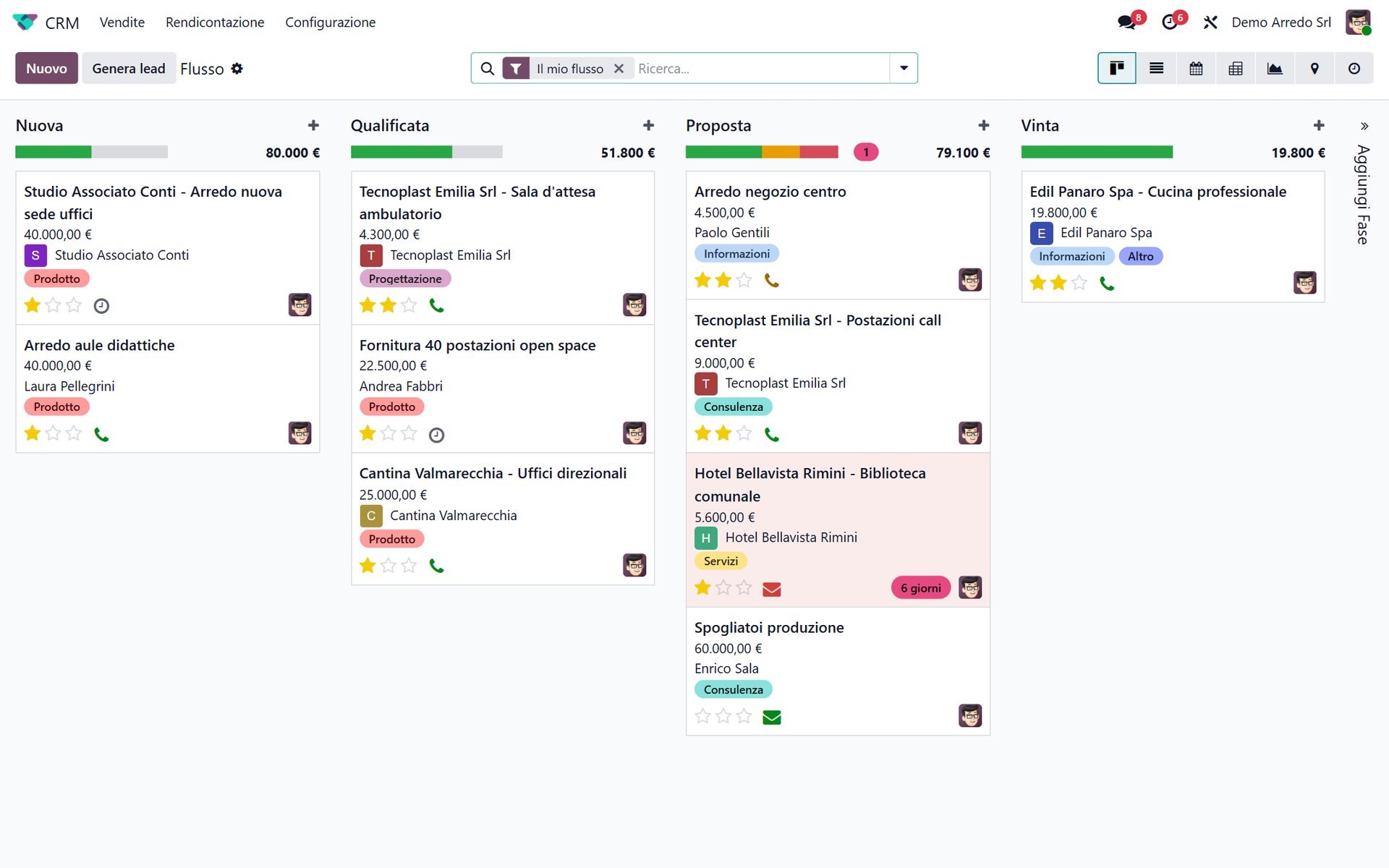
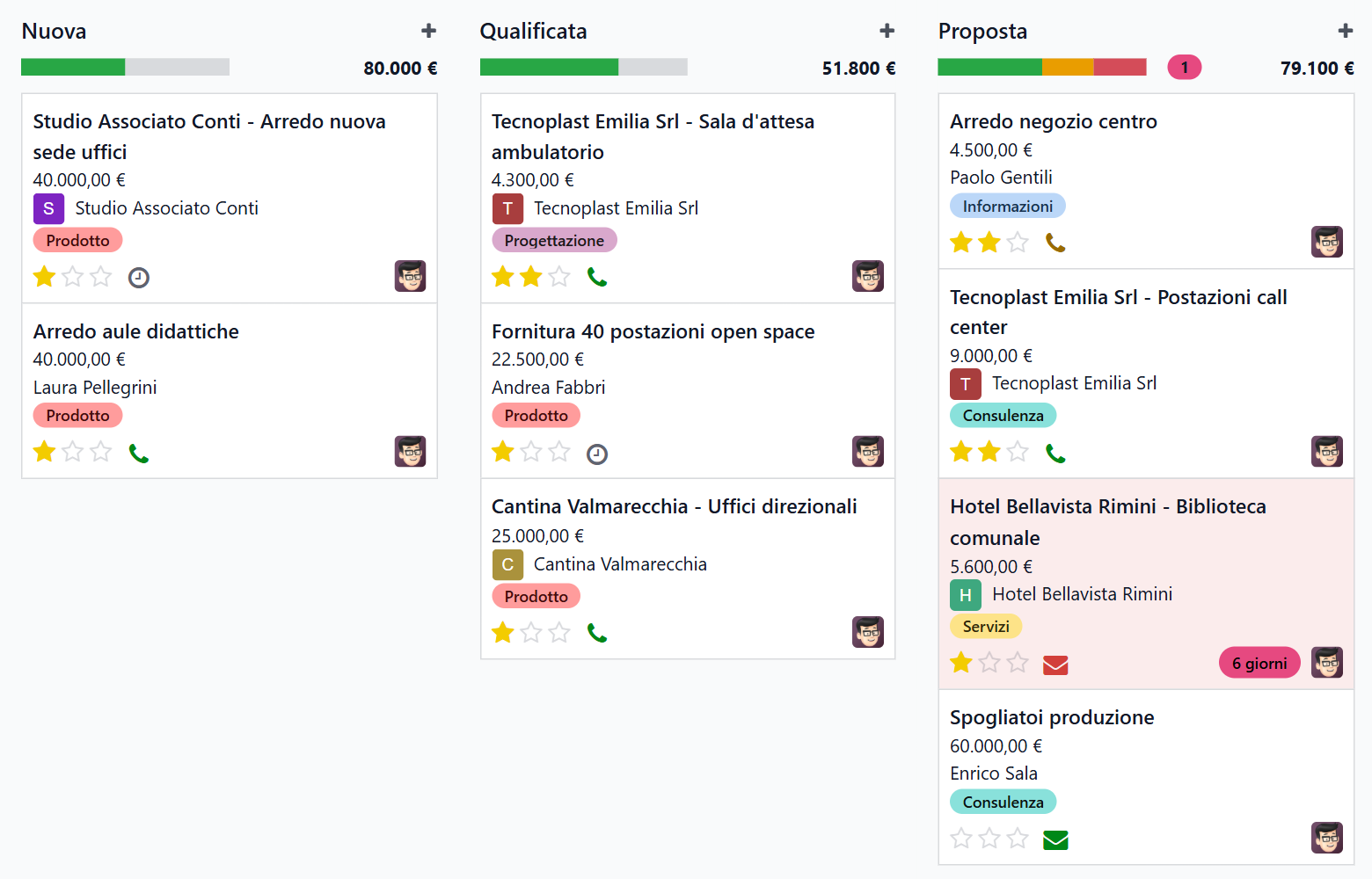
Opportunities are cards you drag from one stage to the next.
- Custom stages: from "New" to "Won", with the steps of your own process
- Expected revenue and probability on every card, totals per column
- Filters by salesperson, area, product or source channel
- Lost reasons recorded, so you can see where customers slip away
Activities
Never forget a customer again
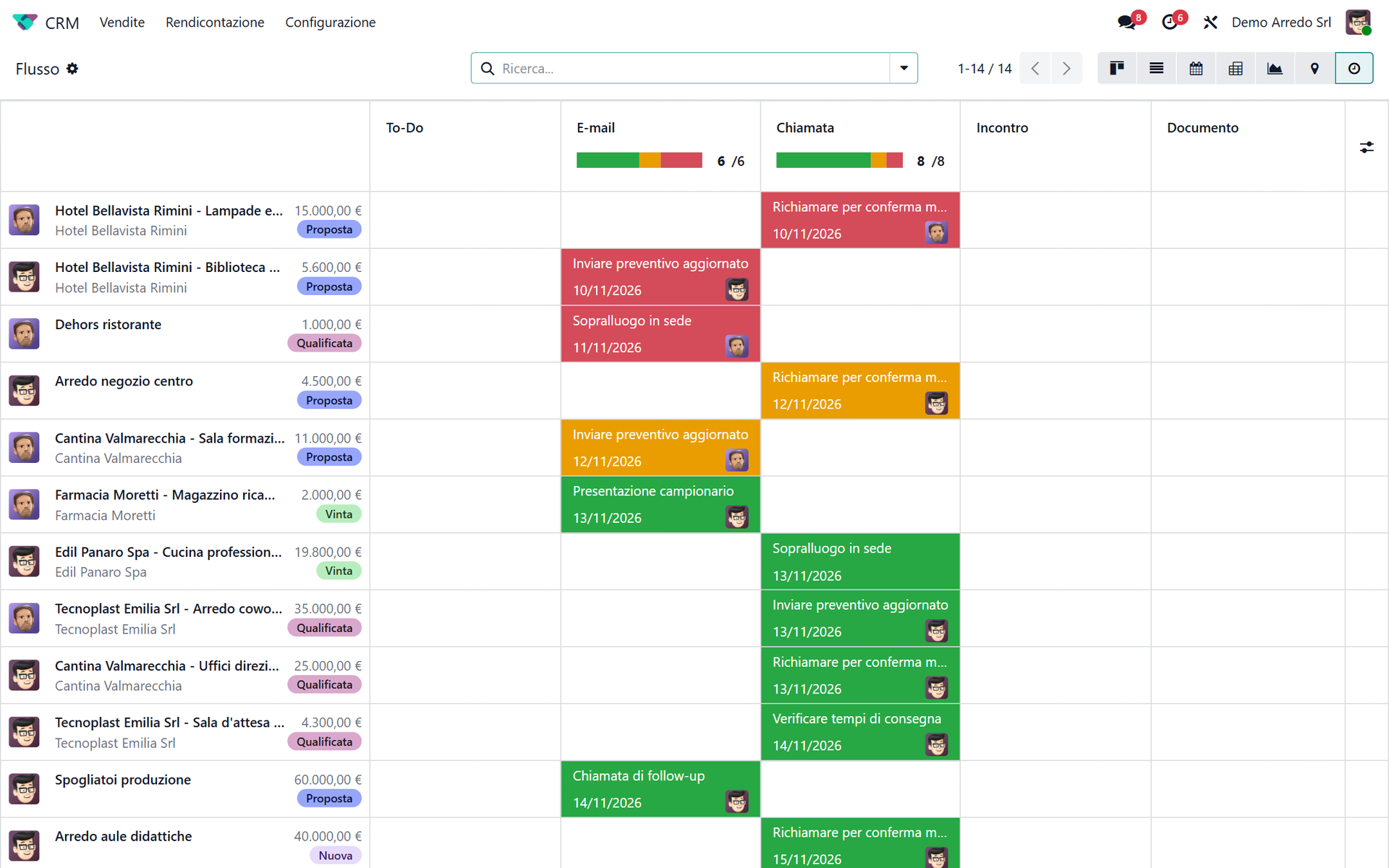
Every deal always has a next step: a call, a meeting, an email, a quotation.
- Activity sequences per stage: finish one and Odoo suggests the next
- Overdue activities in red, in the pipeline and in the calendar
- Meetings in the Odoo calendar, synced with Google and Outlook
- Assignment rules: new leads go to the right salesperson by area or product
Communication
Emails, calls and messages on the customer record
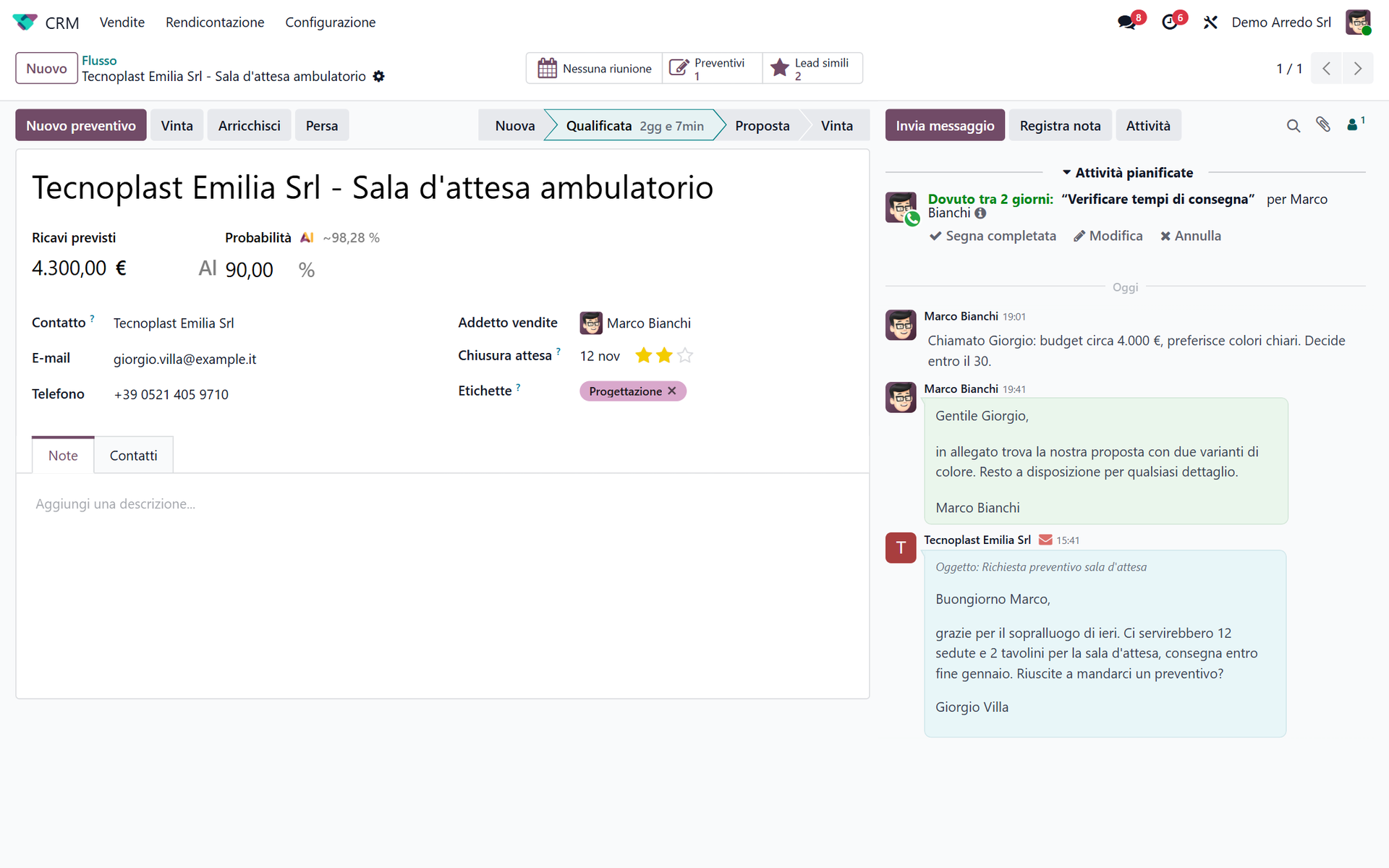
Whoever opens a deal sees everything that has been said, even if a colleague handled it.
- Sent and received emails are filed automatically on the right record
- Phone system integration: the caller's record pops up on screen, and you call with one click
- Live chat and website forms create pre-filled leads
- Email templates for recurring messages
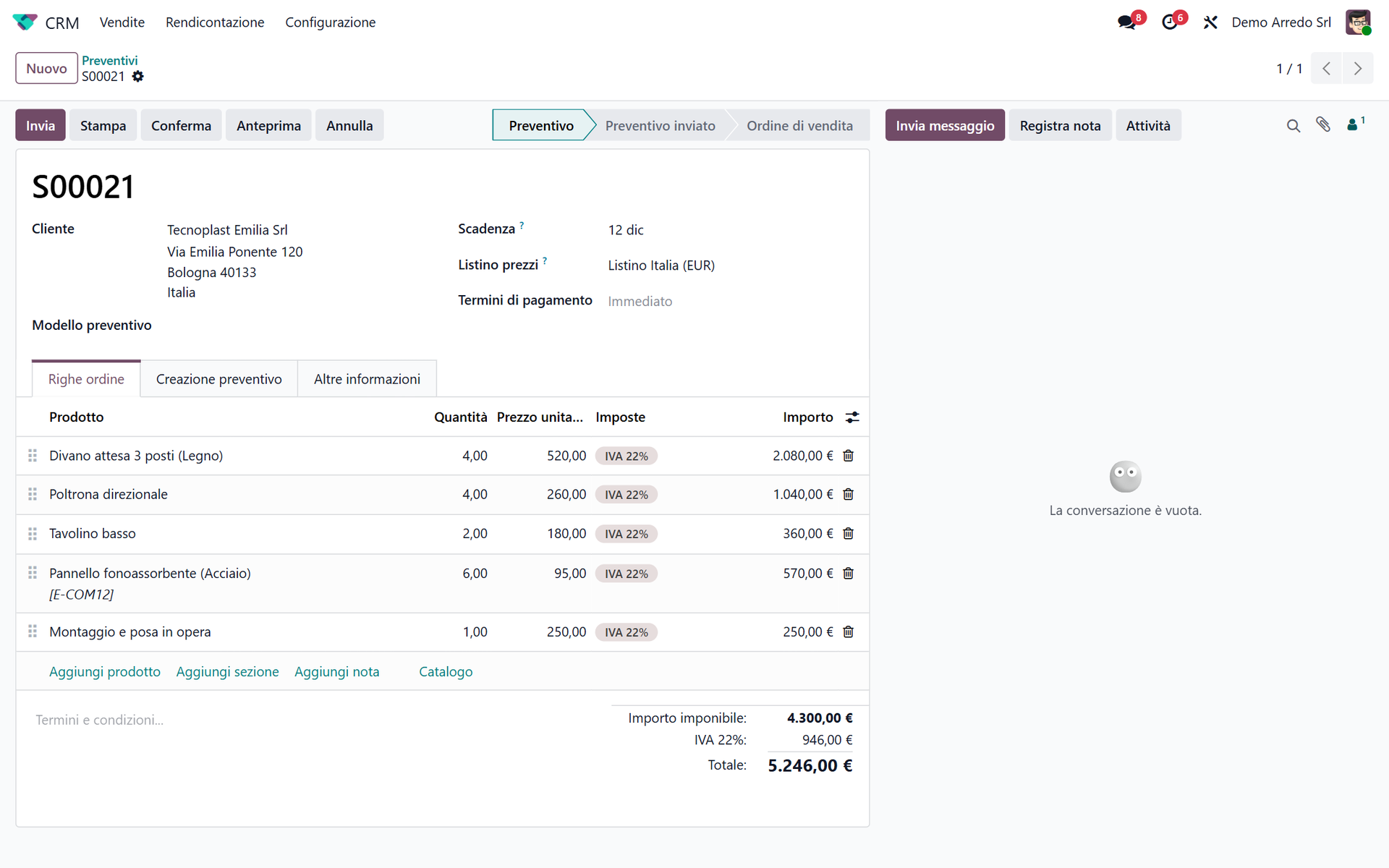
Quotations
From quotation to e-invoice, without retyping anything
The quotation comes from the opportunity, the order from the quotation, the invoice from the order.
- Catalogue products with the customer's price lists and discounts
- Sent by email, accepted and signed online in the customer portal
- Quotation confirmed: order, delivery and e-invoice sent to Italy's SdI exchange system
- Opportunity marked as won automatically when the customer confirms
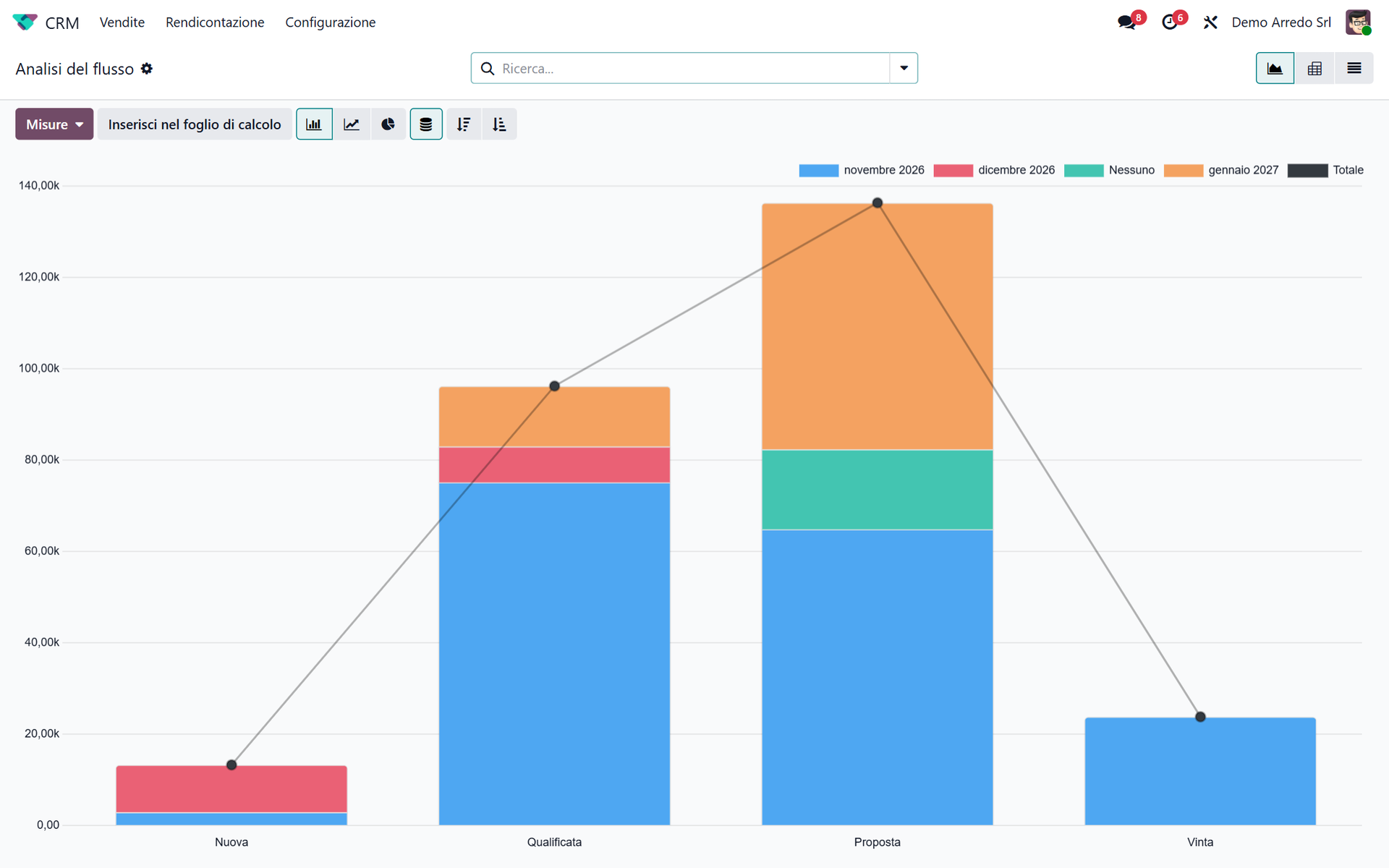
Forecasts and reports
Decisions based on numbers, not gut feeling
Reports always up to date, with no exporting to Excel.
- Revenue forecast by expected closing month
- Results by salesperson and team, compared with targets
- Lead-to-customer conversion rate and average time to close
- Where your customers come from: website, campaigns, trade fairs, word of mouth
Features
Everything a sales team needs
Leads and opportunities
Qualify the contact first, then turn it into an opportunity. Or go straight to opportunities, if you prefer.
Lead scoring
Odoo estimates the probability of closing from your sales history and puts the most promising contacts on top.
No duplicates
Matching contacts and opportunities are flagged and merged together with their history.
Import
Customers and deals from Excel or your old CRM, with column matching.
Sales teams
Multiple teams, each with its own pipeline, targets and manager.
Automation
Alerts, assignments and stage changes that run on their own, without coding.
Customer map
Customers and opportunities on a map, to plan your visit rounds.
Always with you
From PC, tablet or smartphone, even out of the office right after a visit.
What we add
Odoo CRM, plus the experience of people who deploy it every day
The software is the same for everyone. What makes the difference is the setup, clean data and people who actually use it. See who has chosen us.
Tailored to you
Stages, fields, assignment rules and reports are designed around your sales process, not the other way round.
Connected to everything else
Phone system, website, email, inventory, e-invoicing and accounting: each piece of data is entered only once.
AI assistant
With Odward, salespeople update the CRM by voice, even from the car: "log that I met Rossi, call him back on Tuesday".
Data migrated
We bring your customers, contacts and deals into Odoo from Excel, Outlook or your current CRM, cleaned of duplicates.
Hands-on training
We train salespeople and managers on your own data, not on a demo company.
Dedicated support
Helpdesk with tickets and senior consultants who know your installation.
One single system
The CRM is just the start. When you need them, the other apps are already connected
Sales
Quotations, orders, price lists and agent commissions.
E-invoicing
Invoices sent through Italy's SdI, payment schedule and collections.
Email marketing
Campaigns and newsletters to CRM customers and leads.
Helpdesk
After-sales support on the same customer record.
Who it's for
Three situations where it pays off
You sell with Excel and email
Customers are in a spreadsheet, offers in Word, follow-ups in your salespeople's memory. You want order without making life complicated.
Your CRM doesn't talk to your ERP
Orders and invoices are retyped by hand into the ERP. You want one system from first contact to payment.
You have agents or a sales network
You want to know what each of them is doing, give everyone the same price lists and calculate commissions on actual sales.
How we work
From analysis to your first month in use
1. Free analysis
Thirty minutes to understand how you sell today, where data gets lost and what you really need.
2. Configuration
Pipeline, teams, activities, email templates and reports designed around your process.
3. Data and connections
We import customers and deals and connect email, website and phone system.
4. Training and go-live
We train your team and support it during the first weeks of use.
FAQ
Before you call us
Can we use only the CRM, without the rest of Odoo?
Yes. You start with the CRM and add sales, invoicing or inventory when you need them, with no migration.
How much does it cost?
Odoo Community is free; Odoo Enterprise has a per-user subscription set by Odoo. Configuration, data import and training are a Clickode project, quoted after the free analysis.
Can we bring the data we have today?
Yes: customers, contacts and deals from Excel, Outlook or another CRM. Before importing, we check them and remove duplicates.
Can salespeople use it out of the office?
Yes, from smartphone and tablet, with the same access as on the PC. All you need is an Internet connection.
Does it connect to our phone system?
Yes with Asterisk-based systems (for example Nethesis, Kalliope, Yeastar) and 3CX. For others, we check during the analysis.
Where is the data stored?
On the Clickode cloud, on Odoo Online or on your own server. The data stays yours and can be exported whenever you want.
How long does it take to get started?
The CRM alone takes a few weeks. A full Odoo project usually takes 30 to 60 days.
Does each salesperson see only their own customers?
If you want, yes. Permissions are set per person: only their own deals, their team's, or all of them.
Let's look at how you sell today
Thirty minutes on a video call, free of charge. We'll show you Odoo CRM on the cases you tell us about.